
Shared Inbox Software: 7 Things to Check Before You Buy
Imagine running a shop with five front doors and no front desk. A customer is waiting at each one. Your team is busy helping people, but nobody can see the whole room.
That is what happens when customer messages live in five different apps.
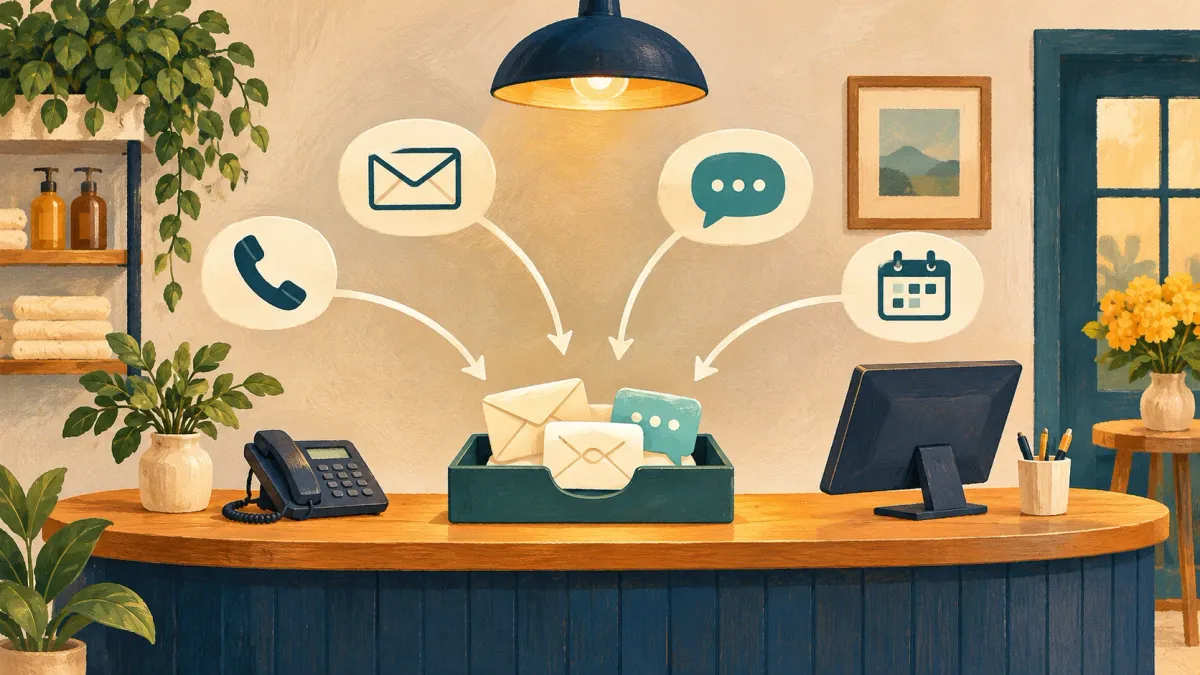
Shared inbox software gives a team one place to receive, assign and answer customer messages. Some tools handle email only. An omnichannel inbox brings supported channels, such as texts, email, social messages and website chat, into the same workspace.
The word supported matters. Before you buy anything, make the software handle a normal Tuesday in your business. Here are seven things to check.
Start with the messages your customers actually send
Picture a small plumbing company. This is a made-up example, but the situation is easy to recognize.
A homeowner asks about a leaking water heater on Facebook. Later, she calls and leaves a voicemail. Then she texts a photo. The office sees the Facebook message. A technician sees the text. The owner has the voicemail.
Three people have a piece of the conversation. Nobody has enough to confidently take the next step.
A good inbox setup makes that handoff easier. It also makes it obvious who is responsible for helping her. Putting every message on one screen is useful. Leaving everybody to assume somebody else answered is still a problem.
1. Does it cover your channels, including the awkward parts?
List the places customers contact you today. Use your actual messages from the past week, not the channels you hope to use someday.
- Your business phone number and text messages
- Your business email addresses
- Facebook and Instagram business messages
- Your website chat
- Contact forms that need a reply
Then ask the provider to show what arrives in the inbox and what your team can do with it. Can you reply from there? Does a form create a conversation, a contact record or just a notification? Are missed calls visible?
Ask about connection requirements and messaging limits for each channel. A logo on a sales page is a starting point. A message sent and answered during the demo is better evidence.
2. Can one person clearly own the next reply?
If a message belongs to everybody, it can sit there until closing time.
Look for assignment, a clear status and a way to see whether someone has already answered. Ask what happens when two employees open the same conversation at once. Some tools offer typing indicators or warnings. Others depend more heavily on how your team uses assignments.
Keep the working rule simple: every open conversation has an owner and a next step. If the owner is off tomorrow, someone else should be able to pick it up without playing detective.
3. Does the customer history stay together?
Ask the salesperson to use the same test customer across two channels. Start with an email, then send a text.
Does the system recognize that person? What happens if they use another email address or a different phone number? Can your team spot and safely combine duplicate records?
No inbox can magically know that two unidentified messages came from the same person. You want to understand how matching works and what someone needs to correct by hand.
Also check where estimates, appointments and notes live. An inbox connected to a CRM and sales pipeline can help your team see the conversation alongside the customer's next step. Confirm what is actually connected in the plan you are considering.
4. Can your team use it away from a desk?
A polished desktop demo tells you very little about answering a customer between jobs.
Open the mobile app during the trial. Find an unread message, read the history, assign it and send a reply. Check whether notifications reach the right person. Try it with the phone your team actually carries.
Pay attention to small frustrations. If finding one conversation takes six taps, that inconvenience will follow you around all week.
5. Can automation hand the conversation back to a person?
A quick acknowledgment can tell a customer their message arrived. It should also set an honest expectation for what happens next.
For example: “Thanks for reaching out. Our office opens at 8 tomorrow, and we'll get back to you then.” Use that only if your team can keep the promise.
Before enabling follow-up, test what happens when the customer replies, books an appointment or asks to stop. Ask whether a human can pause automation and take over. Make sure two workflows cannot keep sending the same customer competing messages.
If this is where your process gets messy, the follow-up process audit walks through the wider path from first inquiry to booked job.
6. What can each employee see, and what can you take with you?
Your inbox will hold customer conversations. Give it the same care you give the keys to your business.
Use separate employee logins and check which permissions are available. Can a technician see only the conversations they need? Can you remove access when someone leaves? Can you see who sent a reply?
Ask about exports before you need one. Contacts, message history and attachments may have different export options. Find out what you can retrieve, in what format, and what happens if you cancel. If you handle regulated or especially sensitive information, get qualified guidance before moving it into a new system.
7. What will it cost when you actually use it?
Compare the bill for your business, not the smallest number on the pricing page.
Ask for a written breakdown using your expected team size and message volume. Check for:
- Per-user charges and minimum seat requirements
- Phone numbers, calls, text messages and other usage charges
- Paid channel connections or integrations
- AI features and their usage limits
- Setup, migration, training and ongoing support
- Contract length, cancellation terms and export restrictions
A cheaper tool can be a perfectly good choice if it solves the problem. An expensive one still needs to earn its place.
A simple demo test you can take into the meeting
Use test details instead of a real customer's private information. Ask the provider to walk through this without skipping steps:
- Send an inquiry through the channel you use most.
- Have one employee claim it and add an internal note.
- Move it to a second employee, who should be able to understand the conversation.
- Send another message through a different channel and check the customer record.
- Reply from a phone, then check the conversation on a computer.
- Trigger a test acknowledgment, reply to it and confirm what the automation does next.
For each step, write down “works,” “needs setup” or “not supported.” That little list will tell you more than a feature checklist full of checkmarks.
Once you choose a tool, start with one or two channels and a clear person responsible for the inbox. Review unanswered conversations each day. Track how long customers wait for a useful reply and whether inquiries reach the next step. Add more channels when the first ones are working.
Common questions about shared inbox software
What is the difference between a shared inbox and an omnichannel inbox?
“Shared” describes how a team works together. “Omnichannel” describes bringing several communication channels into one workspace. A product can do both. Check the actual channel list and handoff features, because vendors use these labels differently.
Can a small business use a free shared inbox?
Yes, if its limits fit the job. A basic shared-email setup may be enough for a small team that mostly receives email. Check user limits, assignments, mobile access and support. If customers also text and send social messages, work out how those conversations will be handled before choosing an email-only tool.
Does a shared inbox replace a CRM?
Not necessarily. The inbox manages conversations. A CRM tracks customer details, opportunities and the steps toward a sale. Some platforms combine them. If you need both, test the connection instead of assuming information will carry over.
Will it work with my existing business number?
Ask the provider to check your exact number and current setup. Number transfer, texting and call handling requirements vary. Keep your existing service running until the transition plan is confirmed and tested.
Give every conversation somewhere to land
You do not need to buy every feature. You need customers to reach your business, get a useful answer and move forward without repeating themselves.
Flo Omni's Universal Inbox brings supported SMS, email, Facebook, Instagram and web chat conversations into one dashboard. If you want to see whether it fits your business, book a free demo and bring the checklist above. Ask us to show the channels, handoffs and mobile experience that matter to you.
The front desk only works when someone knows who is waiting.